· 13 min read
Getting Started with Combinatorial Testing
Learn how pairwise and n-wise combinatorial testing can dramatically reduce test cases while maintaining strong defect detection. A practical guide from the trenches.
Published: · 13 min read
Learn how pairwise and n-wise combinatorial testing can dramatically reduce test cases while maintaining strong defect detection. A practical guide from the trenches.
Here’s a problem every QA engineer faces: you’ve got 10 parameters with 3 values each. That’s 59,049 possible test combinations. Even if each test takes just 10 seconds to run, you’re looking at 6.8 days of continuous execution. Good luck getting that approved in a two-week sprint.
I learned about combinatorial testing over a decade ago and honestly thought it was too good to be true. Cut 59,049 tests down to ~30 and still catch most interaction-based bugs? The research backs it up, but here’s the catch: it’s not a silver bullet, and some researchers argue it’s been over-promoted in the testing community. It works brilliantly for specific parameter-based testing scenarios, but you need to know when to use it and when to stick with other approaches.
Let me give you a real example. I once worked on testing an e-commerce platform’s cross-browser compatibility for different customer types with these parameters:
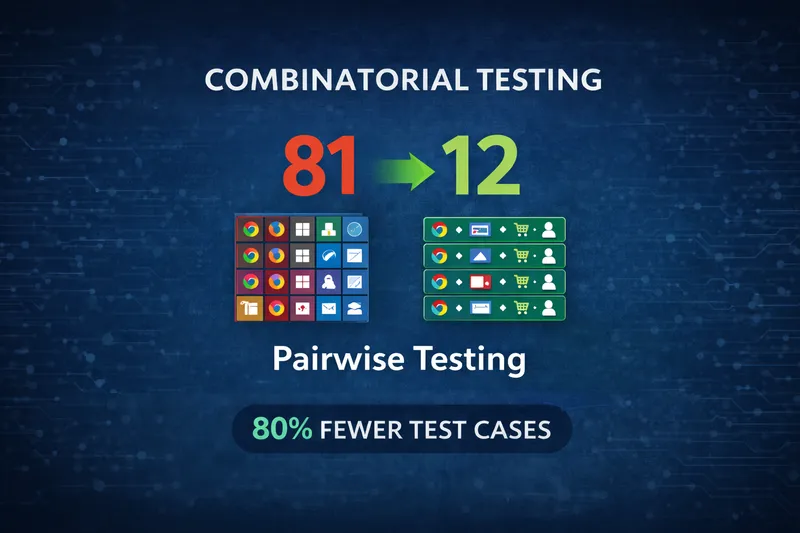
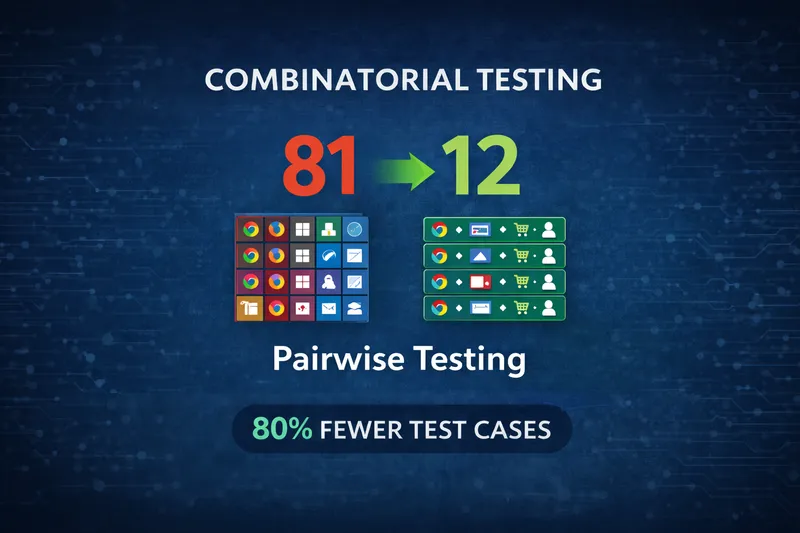
That’s 3 × 3 × 3 × 3 = 81 test combinations.
The team was manually writing test cases for each one. It took weeks to create, hours to execute, and nobody wanted to maintain it. Half the tests were essentially duplicates testing the same interactions.
This is where combinatorial testing shines - when you’re testing how independent configuration options interact, not sequential user journeys.
Instead of testing every possible combination, combinatorial testing focuses on parameter interactions. Research from NIST (National Institute of Standards and Technology) found that most software defects are triggered by interactions between just 2 or 3 parameters.
flowchart LR
    A[All Possible Combinations] --> B[Exhaustive Testing]
    B --> C[81 Tests]

    A --> D[Pairwise Algorithm]
    D --> E[~12 Tests]
    E --> F[Same Interaction Coverage]

    style C fill:#f44336
    style E fill:#4CAF50
    style F fill:#4CAF50
Pairwise testing (also called 2-wise) ensures every pair of parameter values appears at least once across your test set. You can also go higher:
Most of the time, pairwise is enough for parameter interaction coverage. In the checkout example above, pairwise reduced 81 tests to about 12 tests while maintaining the same interaction coverage.
Important caveat: This assumes your checkout flow evaluates all parameters independently. If it’s a multi-step wizard where earlier choices affect later options, pairwise won’t model that sequential dependency well. More on that later.
The first time I tried pairwise testing, I made a classic rookie mistake: I forgot to add constraints.
I generated a beautiful test set, felt very clever about the 85% reduction in test count, and handed it off to the team. Within an hour someone asked me why we were testing Safari on Windows. Then someone else found Safari on Linux. Then I realized half the generated tests were completely invalid combinations - browsers on unsupported operating systems, payment methods that didn’t work in certain countries, features that were mutually exclusive. Embarrassing.
Don’t skip the constraints step. Some combinations are impossible or invalid:
A good pairwise tool (like the N-wise Test Generator I built) lets you define these constraints so you only generate valid test cases.
Let’s walk through a realistic example with these parameters:
| Parameter | Values |
|---|---|
| Browser | Chrome, Firefox, Safari |
| Payment | Card, PayPal, ApplePay |
| Shipping | Standard, Express, Pickup |
| Customer | New, Returning |
Exhaustive testing: 3 × 3 × 3 × 2 = 54 tests
Pairwise approach: ~12 tests
Here’s what a pairwise test set might look like:
| Test | Browser | Payment | Shipping | Customer |
|---|---|---|---|---|
| 1 | Chrome | Card | Standard | New |
| 2 | Chrome | PayPal | Express | Returning |
| 3 | Chrome | ApplePay | Pickup | New |
| 4 | Firefox | Card | Express | Returning |
| 5 | Firefox | PayPal | Pickup | New |
| 6 | Firefox | ApplePay | Standard | Returning |
| 7 | Safari | Card | Pickup | Returning |
| 8 | Safari | PayPal | Standard | New |
| 9 | Safari | ApplePay | Express | Returning |
| 10 | Chrome | Card | Pickup | Returning |
| 11 | Firefox | PayPal | Standard | Returning |
| 12 | Safari | Card | Express | New |
Notice how every pair appears at least once. Chrome + Card? Check. Safari + ApplePay? Check. Express + New customer? Check.
graph LR
    A[Browser] --> B[Payment]
    A --> C[Shipping]
    A --> D[Customer]

    B --> C
    B --> D

    C --> D

    style A fill:#4CAF50
    style B fill:#2196F3
    style C fill:#FF9800
style D fill:#9C27B0Here’s where it gets really useful. Modern combinatorial testing isn’t just about reducing test cases. It’s about knowing what should happen for each combination.
Add outcome rules like this:
IF Browser = Safari AND Payment = ApplePay
THEN "Show native Apple Pay UI"

IF Customer = New
THEN "Display account creation prompt"

IF Shipping = Pickup AND Payment = ApplePay
THEN "Enable in-store payment confirmation"
When I built my N-wise Test Generator, I made expected outcomes a core feature. You define the rules once, and the tool automatically applies them to every generated test case. This turns a list of parameter combinations into actual executable test cases.
flowchart TD
    A[Identify Parameters] --> B[Define Values]
    B --> C[Add Constraints]
    C --> D[Add Expected Outcomes]
    D --> E[Generate Pairwise Set]
    E --> F[Export to CSV/Gherkin]

    style A fill:#2196F3
    style F fill:#4CAF50
1. Identify your parameters - List everything that affects behavior: input fields, config options, environments, feature flags, user roles, browsers.
2. Choose your coverage level - Start with pairwise (2-wise) for most functional testing. Move to 3-wise for complex integrations or critical paths. Only go to 4-wise+ for safety-critical systems.
3. Define constraints - This is critical. Model the real-world limitations of your system.
4. Add expected outcomes - Define what should happen for each combination. This is the test oracle that turns parameter combinations into actual executable tests.
5. Generate the test set - Use a tool to create the pairwise combinations. The tool will apply your outcomes to each generated test.
6. Export and automate - Export to Gherkin, CSV, or JSON and plug into your test framework.
Using pairwise for the wrong type of feature This is the biggest mistake. Pairwise works for independent parameters evaluated together (config screens, permission matrices). It doesn’t work for sequential workflows, state machines, or features where step N depends on steps 1 through N-1. Know the difference.
Choosing poor parameter values Pairwise is useless if you pick generic values. Testing “valid email” and “invalid email” means nothing if you don’t test the specific invalid formats that break your system (SQL injection attempts, Unicode characters, extremely long strings, missing @ symbol, multiple @ symbols). The quality of your pairwise tests depends entirely on choosing the right boundary values and edge cases for each parameter.
Only testing valid combinations Pairwise tests cover valid scenarios efficiently, but don’t forget to test constraint violations for error handling. I’ve seen teams perfectly test all valid parameter combinations but never verify that invalid ones (like “Trial enabled on one-off payments”) are properly rejected. Your constraints define what shouldn’t happen - test that too.
No test oracle Generating parameter combinations is easy. Knowing what should happen is the hard part. If you don’t define expected outcomes, your tests are useless. You can’t verify correctness without defining what “correct” means.
Assuming higher coverage always helps If bugs keep slipping through, don’t automatically jump to 3-wise or 4-wise. First question whether pairwise is even appropriate for that feature. Sequential dependencies, edge cases, and business logic bugs won’t be solved by increasing interaction coverage.
Most of the time, pairwise works great. But I’ve learned to recognize when I need more:
Moving from 2-wise to 3-wise usually increases test count by 3-5x. From 3-wise to 4-wise, another 3-5x. Pick your battles.
Let me be honest about where I’ve had success with pairwise testing and where I haven’t.
Where it excels:
Pairwise works great for configuration-driven features like payment options, shipping methods, and user roles. Cross-platform testing is another sweet spot - testing browser × OS × device combinations is exactly what pairwise was designed for. Feature flag interactions, permission matrices, and form validation with independent fields are all good candidates.
Where it falls short:
if (A && B) || (C && !D))The subscription plan system I mentioned earlier? That was a perfect fit because each parameter (plan type, payment model, trial status) was independent. The system evaluated all parameters at once to determine what should happen.
But I’ve also tried using pairwise on a multi-step checkout flow and it was useless. The flow had dependencies between steps - what you select in step 1 affects what’s available in step 3. Pairwise doesn’t model that kind of sequential state. I ended up going back to user journey-based testing.
Here’s a case where pairwise actually worked well. Testing a subscription plan system with these parameters:
Exhaustive testing: 2 × 3 × 2 × 3 × 2 × 2 × 2 × 2 = 576 test cases
With constraints applied (Duration = 0 requires One-off payment, One-off requires Trial disabled), valid combinations dropped to 448 test cases.
Pairwise with constraints: 12 test cases for valid scenarios.
The win here wasn’t just the 98% reduction in test count. After testing valid combinations, we tested constraint violations separately and found a bug: the system allowed “Trial Enabled” on “One-off payment” - a combination our constraints blocked but the code didn’t validate. That would have caused billing issues in production.
But here’s the reality check: This only worked because the subscription configuration was a single screen where all parameters were evaluated together. Yes, there were constraints (Duration=0 required One-off payment), but those were validation rules, not sequential dependencies. The system didn’t hide fields or change available options based on earlier choices - it just validated the final combination. That’s the key difference. If this had been a wizard where step 1 choices affected what appeared in step 2, pairwise wouldn’t have been the right tool.
Track these metrics to know if it’s working:
Critical point: The NIST research showing “most bugs come from 2-3 parameter interactions” is an average across many systems. Your specific codebase might be different. If defects keep escaping involving 3+ parameters, that’s a signal to either move to 3-wise or reconsider whether pairwise fits at all.
Every pairwise tool I found either:
So I built the N-wise Test Generator. It runs entirely in your browser - no data leaves your machine. It’s free, supports 2-wise through 6-wise coverage, handles complex constraints with cascading dropdowns, lets you define expected outcomes, and exports to CSV, JSON, Markdown, or Gherkin.
If you’re new to combinatorial testing:
For the right features, teams can cut test suite sizes by 70-90% while maintaining good defect detection. But don’t force it where it doesn’t fit.
Combinatorial testing is a powerful tool for specific scenarios - mainly configuration-driven features where parameters are evaluated independently.
For those cases, the NIST research holds true: most bugs hide in 2-3 parameter interactions, and pairwise testing finds them efficiently. You’ll save time and catch interaction bugs you’d miss with ad-hoc testing.
But it’s not a replacement for user journey testing, exploratory testing, edge case analysis, or security testing. It’s one technique in your toolkit. Use it where it fits, and don’t force it where it doesn’t.
If you’re testing features with lots of independent parameters and you’re still writing exhaustive test matrices by hand, give pairwise a try. Just make sure you’re applying it to the right problems.
Resources:
Want to discuss combinatorial testing or share your results? Connect with me on LinkedIn - I’d love to hear how you’re using these techniques.
Get notified when I publish something new, and unsubscribe at any time.